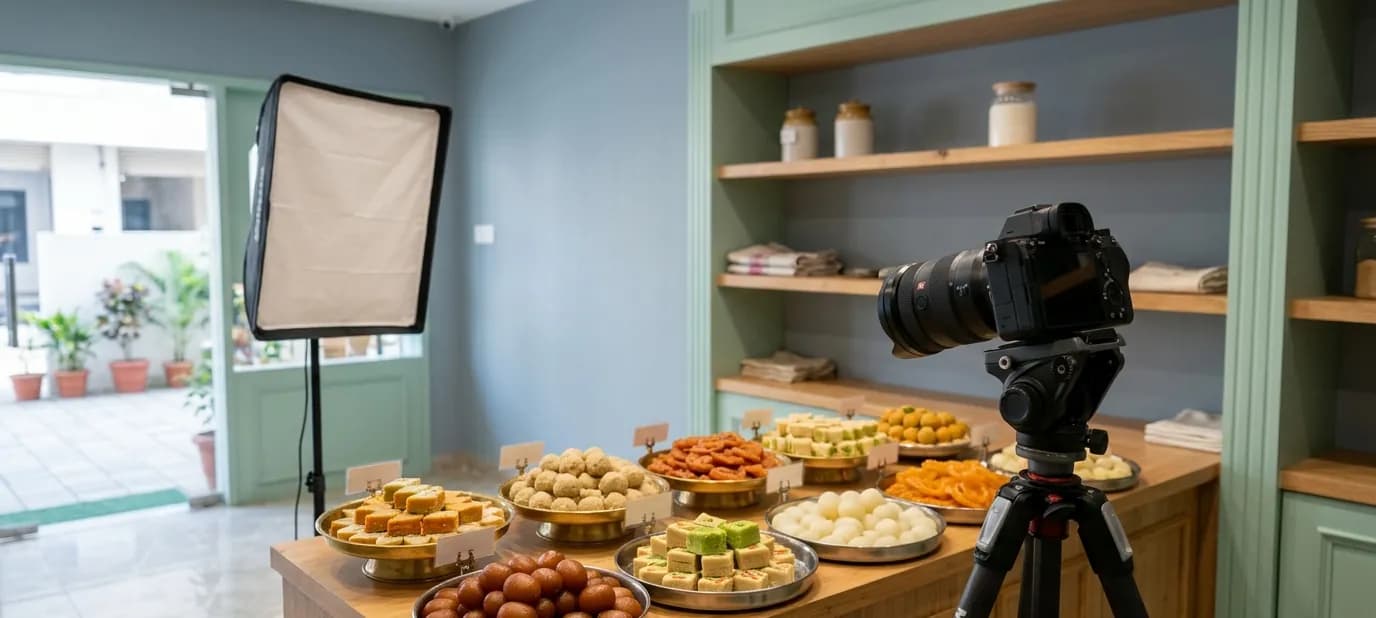

How to prepare your shop for a photoshoot
A little preparation makes a photoshoot faster, calmer and far better. Here's a simple checklist for getting your shop, products and team ready, from a week before to the morning of the shoot.

You've decided to get proper photos of your business. The photographer is booked. Now what? The difference between a good shoot and a great one often comes down to what happens before the camera comes out.
This post is a practical checklist for getting your shop ready, whether it's a sweet shop, a boutique, a clinic, a salon or a restaurant. If you're still deciding what to photograph, start with venue photography vs product photography.
A week before
Decide what the photos are for
Make a list of where the photos will be used: your Google Business Profile, website, Instagram, Zomato and Swiggy, printed menus. Each place needs slightly different photos. A Google cover photo is wide; an Instagram post is square or tall; a delivery app needs one clear photo per dish.
Make a shot list
Write down exactly what you want photographed. For example:
- Shopfront from across the road
- Entrance and signboard
- Main counter
- Seating area, if you have one
- Top ten products or dishes
- Festival gift boxes
- Owner and team at work
A shot list keeps the day focused and makes sure nothing important is forgotten.
Choose the time
Agree a time with the photographer when:
- The light is good, usually morning or early afternoon
- The shop is quiet, often before opening or during a slow hour
- Fresh products are available, especially for food
- The team members you want in photos are present
Fix the small things
Walk around your shop as if you were a customer seeing it for the first time. Look for things the camera will notice: a flickering light, a broken tile, a torn banner, a stained wall, a faded sign. Fix what you can before the shoot.
The day before
Clean thoroughly
Cameras see everything. Pay special attention to:
- Glass: display counters, windows, doors and mirrors
- Floors, especially near the entrance
- Shelves and counters, including dust on top of things
- The outside: steps, the area in front of the shop, the signboard
Declutter
Remove everything customers don't need to see:
- Cardboard boxes and stock waiting to be unpacked
- Wires, chargers and extension boards
- Old notices, stickers and handwritten signs
- Personal items: bags, water bottles, phones, tiffin boxes
- Too many products on one shelf. A little space looks more premium than overcrowding.
Prepare the products
- Choose your best-looking items, not the ones at the back of the shelf
- For food, plan fresh batches to be ready at the shoot time
- Have packaging ready: gift boxes, bags, labels
- Iron any fabric, from tablecloths to clothes on display
On the day
Before the photographer arrives
- Switch on all the lights and check every bulb works
- Open curtains and blinds for natural light
- Do a final tidy of counters and the entrance
- Make sure staff in photos are in clean uniforms or neat clothes
During the shoot
- Keep one person free to help: moving products, bringing fresh food, keeping customers comfortable
- Look at the photos on the camera as you go, and say if something isn't right
- Be patient with food. It takes time to get each dish right.
- Ask before photographing customers, and only include people who are happy to appear
People in photos
Photos of the owner and team make a business feel human and trustworthy. But only include people who are comfortable. A natural photo of someone at work, packing a box or greeting a customer, often looks better than a stiff posed photo.
Food businesses: extra tips
If you run a restaurant, café or sweet shop, food needs a little more planning:
- Prepare dishes one at a time, so each is fresh when photographed
- Keep garnishes ready: coriander, nuts, cream, silver varq
- Have clean plates and bowls in several sizes
- Plan the order so hot dishes are photographed while they still look glossy
See food photography basics for more.
After the shoot
- Choose the photos you like best with the photographer
- Make sure you receive them sized for each place you'll use them
- Upload them to your Google profile, website and social pages soon, while everything still looks exactly like the photos
- Replace old photos that no longer show your shop as it is
- Keep the originals safe in a shared folder
For where each photo should go on Google, see what photos to upload to your Google Business Profile.
Getting help
Our photography service starts by planning the shoot with you: what to photograph, and when the light and space are best. We photograph your space and your products or food, edit the photos and deliver them sized for your website, Google profile and social pages.
In short
- Plan where the photos will be used, make a shot list and choose a quiet time with good light.
- Clean glass and floors, remove clutter and choose your best-looking products the day before.
- Keep someone free to help on the day, and upload the new photos everywhere soon after.